How to
Connect Your Base Wallet to WUD Games
Holding $WUD on Base? Link your Base wallet once and it counts toward your holdings in Flappy WUD, Gavun's Grid Miner and WUD Universe, right next to your Polkadot $WUD. It takes one free signature, and nothing leaves your wallet.
Posted3Games that count your Base $WUD today, with WUD in the Woods coming soon.
1:1Every $WUD on Base counts the same as $WUD on Polkadot.
0Fees. Linking is a signature, not a transaction.
0Tokens moved. Your $WUD stays in your wallet.
Before you start
- Your Polkadot wallet. Your account in our games lives on your Polkadot wallet, such as Nova, SubWallet or Talisman. Connect it first. Rewards, prizes and mystery boxes keep going there.
- Your Base wallet. The Base app (formerly Coinbase Wallet), the Coinbase Wallet extension or MetaMask.
- On a phone? Open the game inside the Base app's browser so your Base wallet can sign.
Flappy WUD
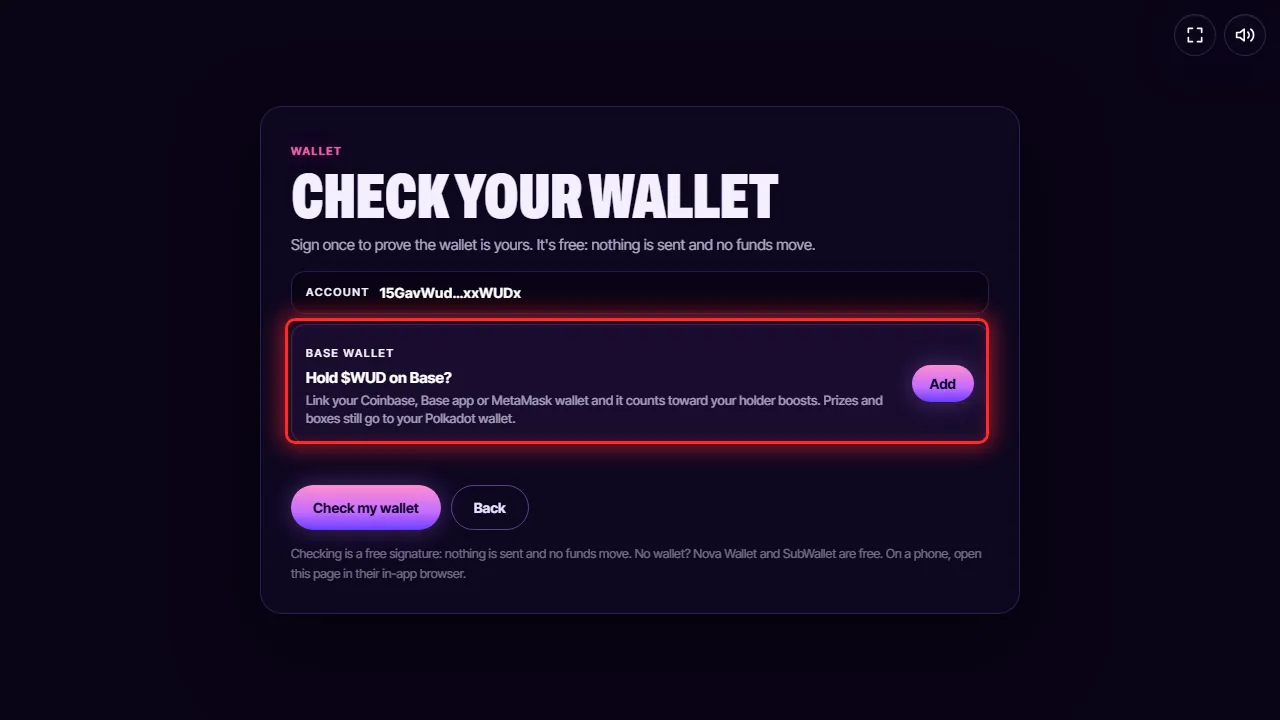
- Open Flappy WUD and connect your Polkadot wallet.
- Open Settings and press Wallet.
- Under Base wallet, press Add.
- Sign once with your Polkadot wallet, then pick your Base wallet and sign with it.
Your Base $WUD now counts toward your holder boosts.
Gavun's Grid Miner
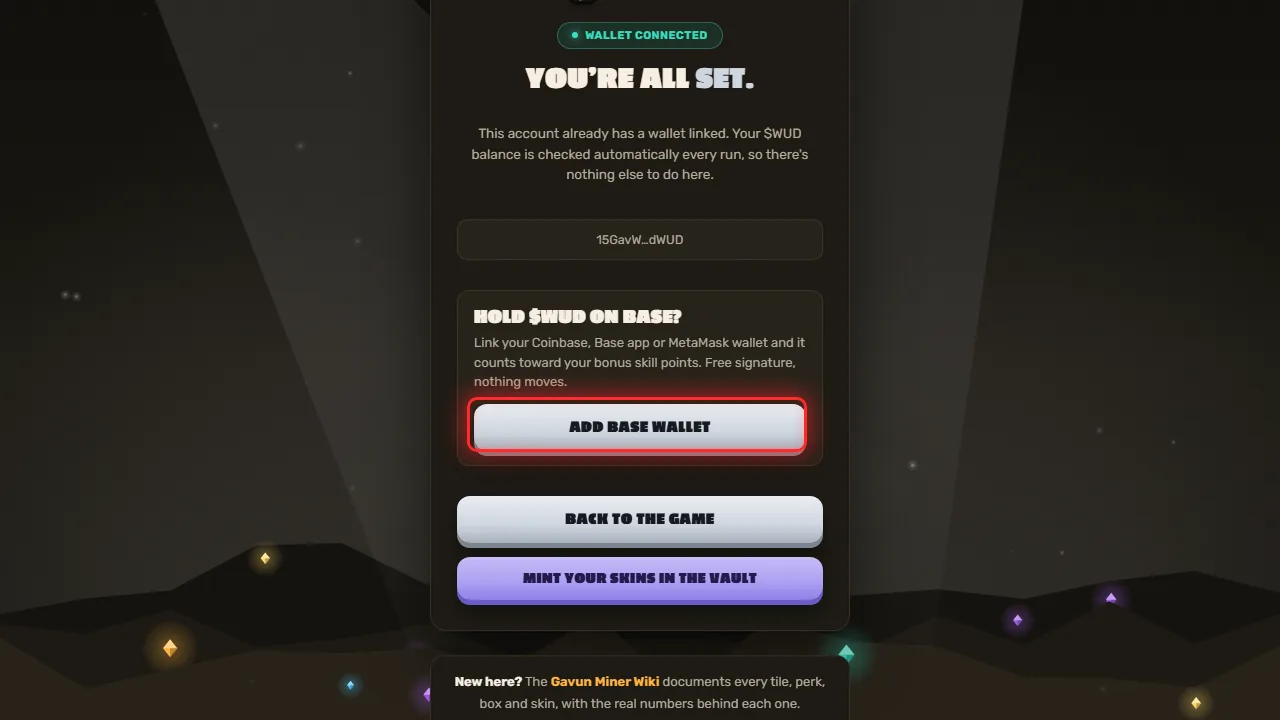
- Open the Grid Miner connect page and connect your Polkadot wallet.
- Press Add Base wallet.
- Sign once with your Polkadot wallet, then pick your Base wallet and sign with it.
WUD Universe
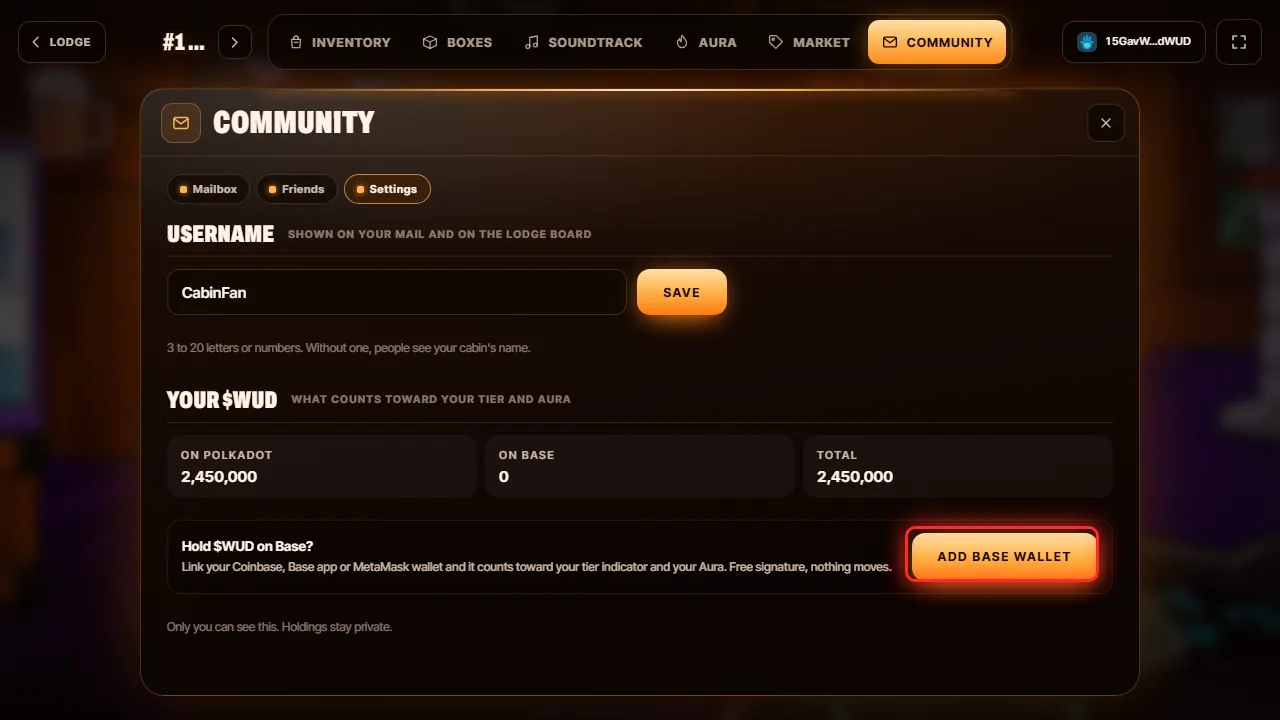
- Open your cabin in WUD Universe.
- Open Community, then Settings.
- Under Your $WUD, press Add Base wallet.
- Sign once with your Polkadot wallet, then pick your Base wallet and sign with it.
Your Base $WUD now counts toward your tier and your Aura. Only you can see your holdings there.
WUD in the Woods
Coming soon. Once it's ready, the same Base wallet link will count in WUD in the Woods too.
Good to know
- Free and safe. Linking only asks for signatures. No fees, no approvals, and no tokens move.
- Rewards stay on Polkadot. Prizes, gold and mystery boxes always go to your Polkadot wallet.
- Change it anytime. Press Remove in the same place to unlink, or link a different Base wallet.
- Smart wallets. A brand new smart wallet needs to make its first transaction on Base before it can sign in.
- No Base $WUD yet? Buy it on Base or bridge it from Polkadot in one signature on the bridge page.
- Need a quick reminder? Type
/baseconnectin our Telegram or Discord.